
Staff Performance Report – Weekly/Monthly
Purpose:
This report evaluates weekly or monthly performance of primary staff across different member segments, including Digital Management, Digital Monitoring, and Unable to Reach Onboarded members. There are 2 versions of this report which include weekly or monthly data respectively.
Key Contents:
- Staff Performance Metrics:
- Weekly/Monthly scores based on engagement, messaging, onboarding, reminders, and care program assignments
- Week-over-week (WoW)/ Month-over-month (MoM) changes in performance indicators
- Segmented Views:
- Separate performance tracking for Digital Management, Monitoring, and UTR Onboarded populations
- Historical Trends:
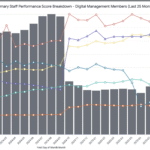
- 25-week/month breakdown of performance scores and caseloads
- Visual tracking of metric changes over time
Usage:
This report supports staff coaching, performance reviews, and operational planning. It helps identify high-performing individuals and areas needing support or intervention.
Dashboard Filters
Filters affecting which Staff/Members will appear in the report:
- Primary Staff Name
- Primary Staff Manager
- Primary Staff Team
- Primary Staff Title
- Business Unit Code
Filters affecting metrics:
- First Day of Week
- Onboarding Access Code Prefix
- Enrollment Primary Care Area
- Enrollment Care Area
Definitions
Staff Performance Section
| Staff Performance | Filters | |||||||||
| Name | Description | First Day of Week | Primary Staff Name | Primary Staff Manager | Primary Staff Team | Primary Staff Title | Onboarding Access Code Prefix | Enrollment Primary Care Area | Business Unit Code | Member Line of Business |
| First Day of Week or Month | For the weekly report, this is the first day of the ISO week (Mon – Sun) which always populates as a Monday. For the monthly report the first day of the month will always surface. If you change the filter for multiple weeks/months then multiple weeks/months will populate. The dashboard will always populate to the last full week or month. | X | X | X | X | X | X | X | X | X |
| Primary Staff Name | Full Name of primary staff member | X | X | X | X | X | X | X | X | X |
| Primary Staff Title | Title of the primary staff member. | X | X | X | X | X | X | X | X | X |
| Primary Staff Manager | The manager of the primary staff. | X | X | X | X | X | X | X | X | X |
| Primary Staff Team | The team a staff member belongs to. | X | X | X | X | X | X | X | X | X |
| Rank | Ranking of Primary Staff based off of their Staff Performance Score. 1 = highest score | X | X | X | X | X | X | X | X | X |
| Staff Performance Score | The primary staff score based off of:Staff Conversion Rate Perfect Score = 75% – Weighted: 28% % of members with med reminders Perfect Score = 75% – Weighted: 28% % of members messaged Perfect Score = 75% – Weighted: 28% % of members with instructions Perfect Score = 75% – Weighted: 16% | X | X | X | X | X | X | X | X | X |
| Digital Caseload | A count of members who are enrolled and in the Digital Management state on the last day of the ISO week and are assigned to the Primary Staff member. | X | X | X | X | X | X | X | X | X |
| % members engaged | % of Digital Management members engaged assigned to the primary. | X | X | X | X | X | X | X | X | X |
| % conversion rate | # of newly onboarded members and in the Digital Management or Digital Monitoring state / # of newly staff-invited members. The metric captures only members who had the staff member as primary assigned during the period of interest. Notes: 1. Monthly reports: activity is counted within the specified calendar month. Weekly reports: activity is counted across the specified week and the four subsequent weeks (a rolling five-week window). In weekly reports a member is included in counts in up to five consecutive weeks, as long as they are not marked as Done. If primary assignments change week-to-week, up to five different staff members may be credited each week for inviting or onboarding the member. 2. If a member’s primary assignment changes during the weekly or monthly period, the most recent primary assignment within the period determines which staff member gets credit for the invitation or onboarding. 3. The rate can exceed 100% if a staff member is credited with more onboardings than invitations — this can happen when some of the onboarded members got invited prior to the period of interest. | X | X | X | X | X | X | X | X | X |
| New onboards by staff (last 4 weeks or last month) | # of newly onboarded members in the Digital Management or Digital Monitoring state. The metric captures only members who had the staff member as primary assigned during the period when they onboarded. Notes: 1. Monthly reports: onboarding is counted within the specified calendar month. Weekly reports: onboarding is counted across the initial onboarding week and four subsequent weeks (a rolling five-week window). In the weekly report, onboarded members are included in counts for up to 5 consecutive weeks, as long as they are not marked as Done. If primary assignments change week-to-week, up to five different staff members may be credited each week for onboarding the member. 2. If a member’s primary assignment changes during the week or month, the most recent primary assignment within the period determines which staff member gets credit for onboarding. | X | X | X | X | X | X | X | X | X |
| New invites by staff (last 4 weeks or last month) | # of newly invited members. The metric captures only members who had the staff member as primary assigned during the period when they are invited. Notes: 1. Monthly reports: invitation is counted within the specified calendar month. Weekly reports: invitation is counted across the initial invited week and four subsequent weeks (a rolling five-week window). In the weekly report, invited members are included in counts for up to 5 consecutive weeks, as long as they are not marked as Done. If primary assignments change week-to-week, up to five different staff members may be credited each week for inviting the member. 2. If a member’s primary assignment changes during the week or month, the most recent primary assignment within the period determines which staff member gets invite credit. | X | X | X | X | X | X | X | X | X |
| % med reminders | # Digital Management members with med reminders (includes both staff and member med reminders) / digital caseload. Only members with reminders that are scheduled during the time period are included. (non-scheduled med reminders not included). | X | X | X | X | X | X | X | X | X |
| Members with new med reminders | Count of Digital Management members with new med reminders (both by members and staff) | X | X | X | X | X | X | X | X | X |
| % messaging | # of Digital Management members to receive an in-app message from staff / digital caseload. If a staff wrote a personal or group message to a member (regardless if they were not the current primary at the time or not the primary at all) the member will still be counted. | X | X | X | X | X | X | X | X | X |
| Members messaged by staff | Count of Digital Management Members to receive at least one message from staff (regardless if staff was the primary or not). | X | X | X | X | X | X | X | X | X |
| % instructions | # of Digital Management members with instructions / digital caseload. If an instruction is hidden from a member, it will not be counted. | X | X | X | X | X | X | X | X | X |
| Members with new instructions | Count of members with new instructions. | X | X | X | X | X | X | X | X | X |
| % condition-specific | # Digital Management members with a current condition-specific care program / digital caseload (not included in the staff performance score) | X | X | X | X | X | X | X | X | X |
| Members assigned new condition-specific care programs | Total Digital Management members assigned a new condition-specific care program. Note, the date they were assigned to the program may be different than the start date of the care program. This data can change historically (for example, if a care manager deletes the care program before it actually starts it will disappear from historical data). | X | X | X | X | X | X | X | X | X |
*The Staff Performance – Digital Monitoring Members and Staff Performance – Unable to Reach Onboarded Members tiles are the same as the table above, but with members in the respective state.
Week over Week / Month over Month Differences Table
| Differences Table | Filters | ||||||||||
| Name | Description | First Day of Week | Primary Staff Name | Primary Staff Manager | Primary Staff Team | Primary Staff Title | Onboarding Access Code Prefix | Enrollment Primary Care Area | Business Unit Code | Member Line of Business | |
| First Day of Week or Month | For the weekly report this is the first day of the ISO week (Mon – Sun) which always populates as a Monday. For the monthly report, the first day of the month will always surface. If you change the filter for multiple weeks/months, then multiple weeks/months will populate. The dashboard will always populate to the last full week or month. | X | X | X | |||||||
| Primary Staff Name | Full Name of primary staff member | X | X | X | |||||||
| Primary Staff Title | Title of the primary staff member. | X | X | X | |||||||
| Primary Staff Manager | The manager of the primary staff. | X | X | X | |||||||
| Primary Staff Team | The team a staff member belongs to. | X | X | X | |||||||
| Staff Performance Rank | Ranking of Primary Staff based off of their weekly Staff Performance Score. 1 = highest score | X | X | X | |||||||
| Digital Caseload # | # difference in digital caseload this week/month – last week/month (if this number is positive it means this primary had more Digital Management members this week/month than last week/month) | X | X | X | |||||||
| % Conversion WoW | % conversion (last 4 weeks or month) – previous % conversion (last 4 weeks or month prior) | X | X | X | |||||||
| % Med Reminders WoW | % med prior reminders – previous week/month % med reminders | X | X | X | |||||||
| % Messages WoW | week/month % members messaged – previous week /month % members messaged | X | X | X | |||||||
| % Instructions WoW | week/month % of members with instructions – previous week /month % of members with instructions | X | X | X | |||||||
| % Condition Specific WoW | week/month % of members with Condition Specific – previous week /month % of members with Condition Specific | X | X | X |
*The Week over Week (Wow) & Month over Month (MoM) differences for Digital Monitoring and Unable to Reach Onboarded Members is the same as the table above, but with members in the respective state.
Score Breakdown Section
| Score Breakdown | Filters | |||||||||
| Name | Description | First Day of Week | Primary Staff Name | Primary Staff Manager | Primary Staff Team | Primary Staff Title | Onboarding Access Code Prefix | Enrollment Primary Care Area | Business Unit Code | Member Line of Business |
| First Day of Week or Month | For the weekly report this is the first day of the ISO week (Mon – Sun) which always populates as a Monday. For the monthly report the first day of the month will always surface. If you change the filter for multiple weeks/months then multiple weeks/months will populate. The dashboard will always populate to the last full week or month. | X | X | X | X | X | X | X | X | X |
| Digital Caseload | A count of members who are enrolled, onboarded, eligible who are assigned to the Primary Staff member. | X | X | X | X | X | X | X | X | X |
| Staff Performance Score | The primary staff score based off of:Staff Conversion Rate Perfect Score = 75% – Weighted: 28% % of members with med reminders Perfect Score = 75% – Weighted: 28% % of members messaged Perfect Score = 75% – Weighted: 28% % of members with instructions Perfect Score = 75% – Weighted: 16% | X | X | X | X | X | X | X | X | X |
| % members engaged | % of onboarded members engaged assigned to the primary. | X | X | X | X | X | X | X | X | X |
| % conversion rate | # of members onboarded / # of members invited by staff. For the weekly report the timeframe is the above ratio is in current week + last 4 weeks. For the monthly report it is the full month is used. If a staff onboarded a member (regardless if they were not the current primary at the time or not the primary at all) the member will still be counted. Conversion rates can exceed 100% depending on the timing of invites and onboards. | X | X | X | X | X | X | X | X | X |
| % messaging | # of members to receive an in-app message from staff / digital caseload. If a staff wrote a personal or group message to a member (regardless if they were not the current primary at the time or not the primary at all) the member will still be counted. | X | X | X | X | X | X | X | X | X |
| % med reminders | # members with med reminders (includes both staff and member med reminders) / digital caseload. Only members with reminders that are scheduled during the time period are included. (non-scheduled med reminders not included). | X | X | X | X | X | X | X | X | X |
| % instructions | # of members with instructions / digital caseload. If an instruction is hidden from a member it will not be counted. | X | X | X | X | X | X | X | X | X |
| % condition-specific | # members with a current condition-specific care program / digital caseload. A condition-specific care program is any care program not including wellness, biometrics, gaps in care, and digital advocate. (not included in the staff performance score) | X | X | X | X | X | X | X | X | X |
*The Primary Staff Performance Score Breakdown – Digital Monitoring and Unable to Reach Onboarded (25 Weeks or Months) is the same as the table above but with members with the respective member states.
Last Updated: